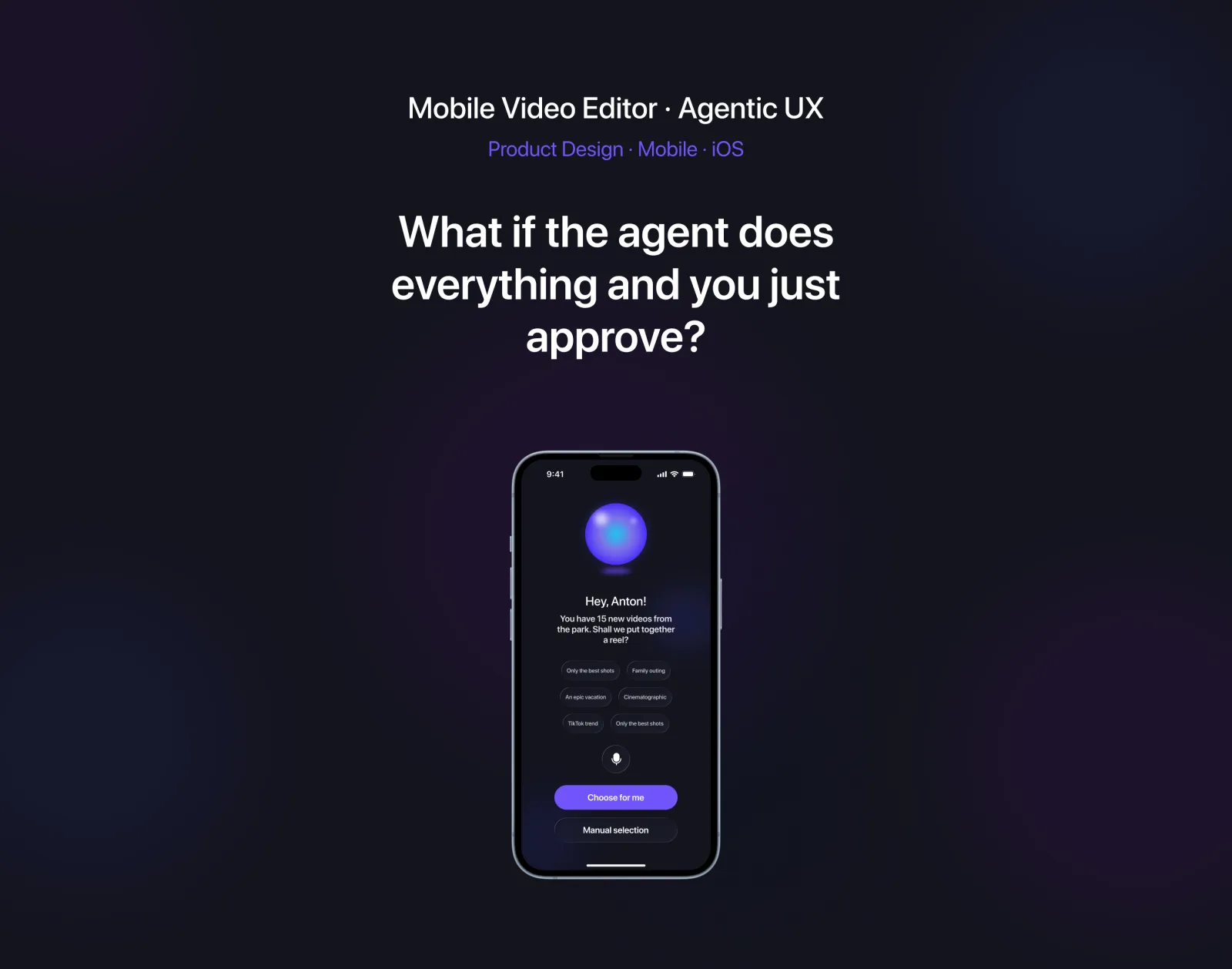
An AI agent that edits the video for you
What if the agent does everything — and you just approve? An exploration of agentic UX for short-form mobile video editing.
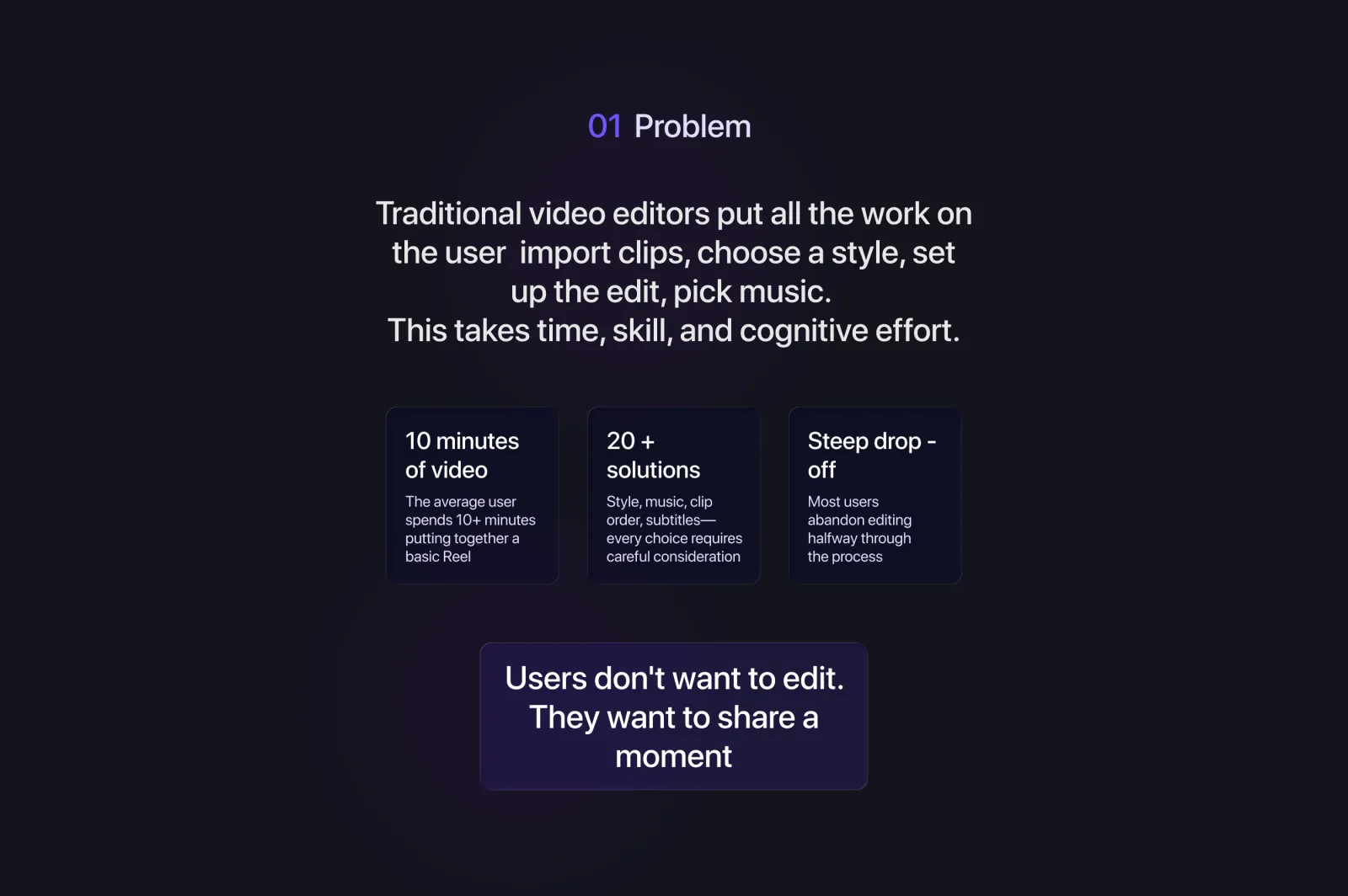
Editing a 30-second video still takes 30 minutes
Traditional video editors expect creators to do everything manually: choose a style, set transitions, sync to audio, fix levels — then maybe export. The result is friction, abandoned drafts, and inconsistent quality across reels and shorts.
Even AI-assisted tools today push the user back into a timeline. They help with one step. They don't take responsibility for the outcome.
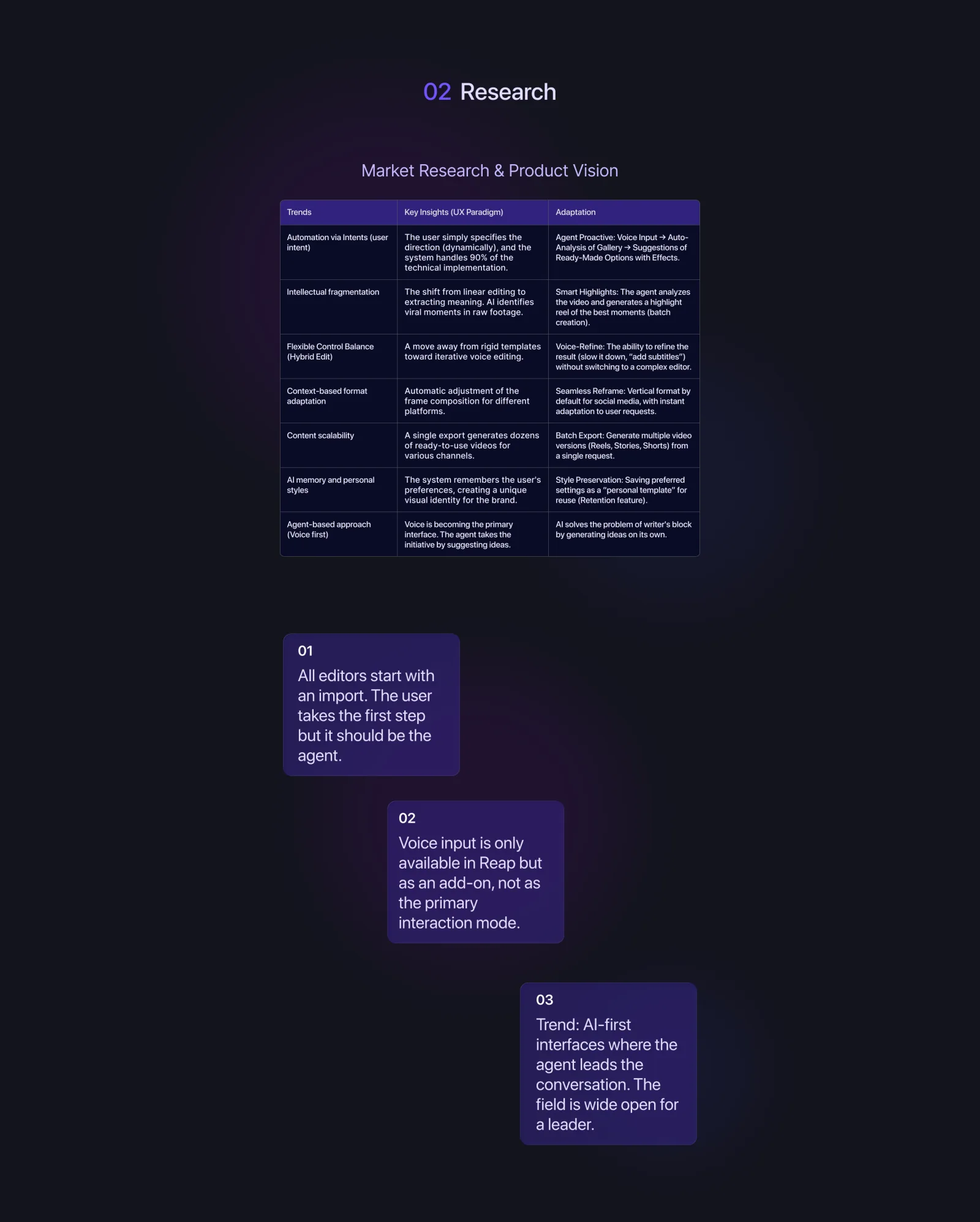
Mapping the messages users actually send each other
We collected real conversations from creators planning a video together. Friction lives in iteration loops: 'shorter', 'remove the boring part', 'add a hook at the start', 'try a different vibe'. Those are agent commands — not editor controls.
From this we extracted a small set of recurring intents: trim, restyle, hook, music, captions, ratio. Everything else is edge-case.
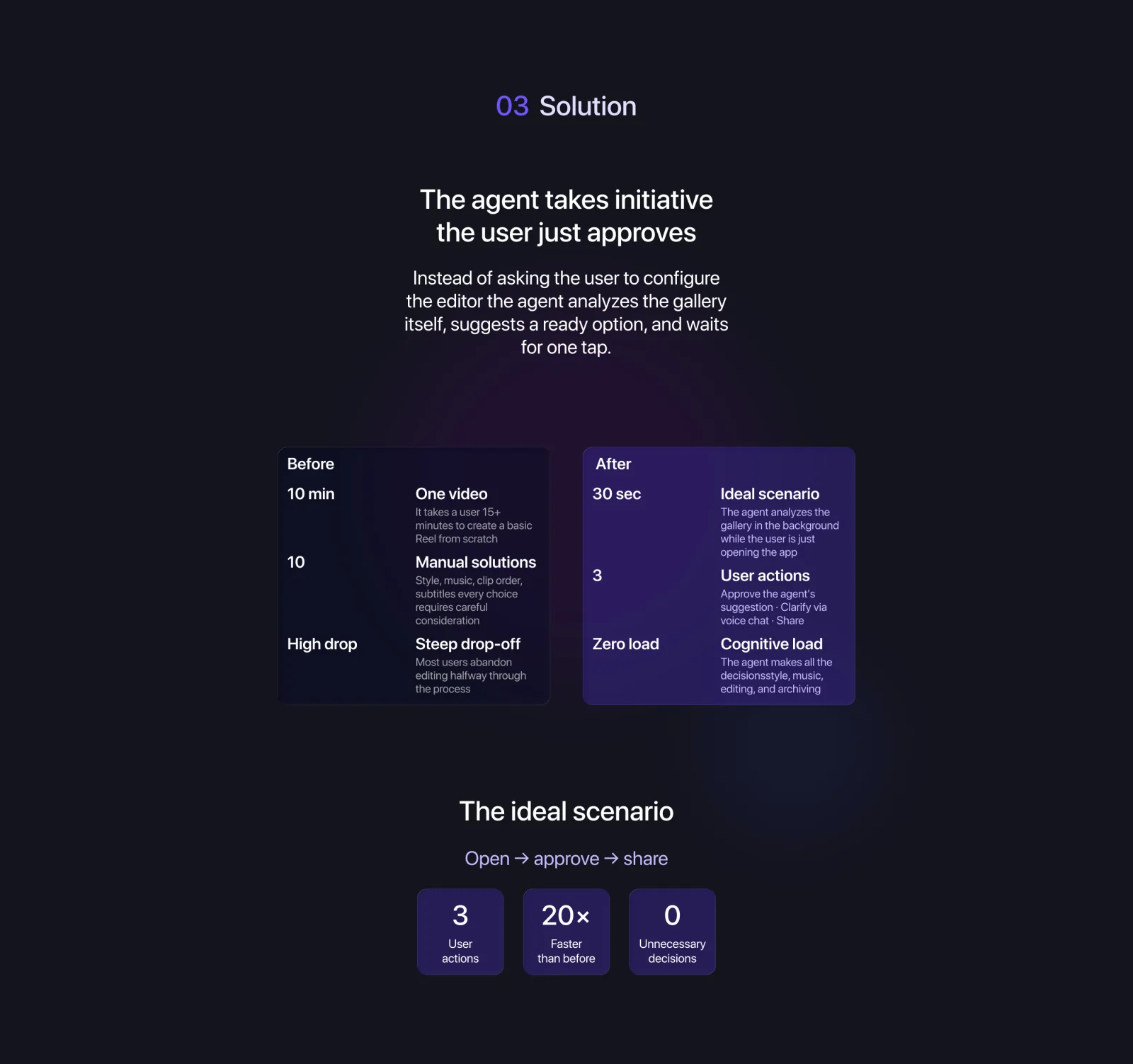
An agent that takes initiative — you only approve
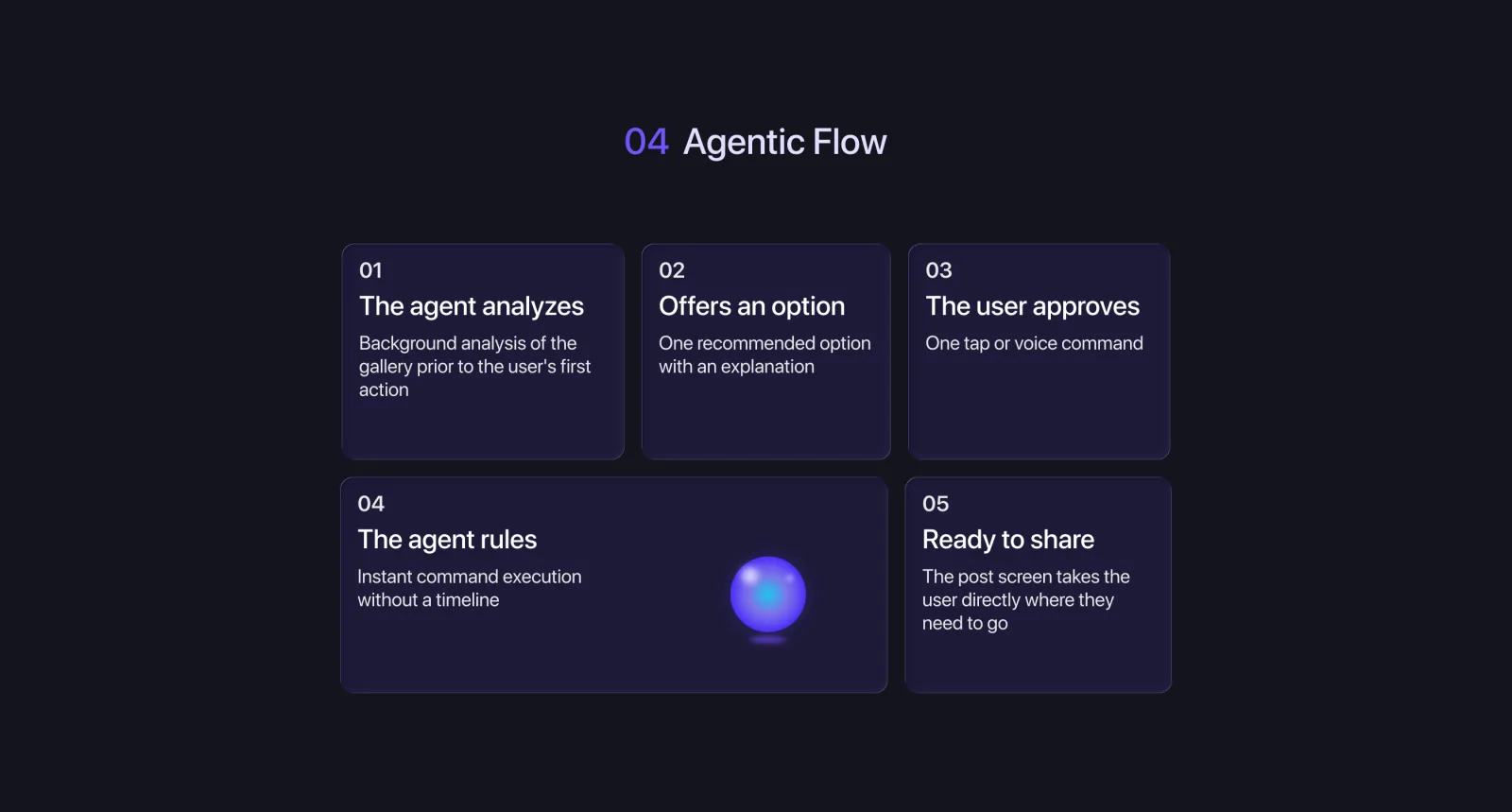
Instead of a timeline, the user gets a conversation with an editor. The agent reads the raw footage, proposes a first cut, explains what it did, and shows the result. The user replies in plain language; the agent re-edits.
Three loops: ingest → propose → refine
The agent runs on three nested loops. Ingest: scene detection, transcript, audio analysis. Propose: a first cut with a stated intent. Refine: respond to natural-language requests with new edits and a clear changelog.
Two surfaces: chat and preview
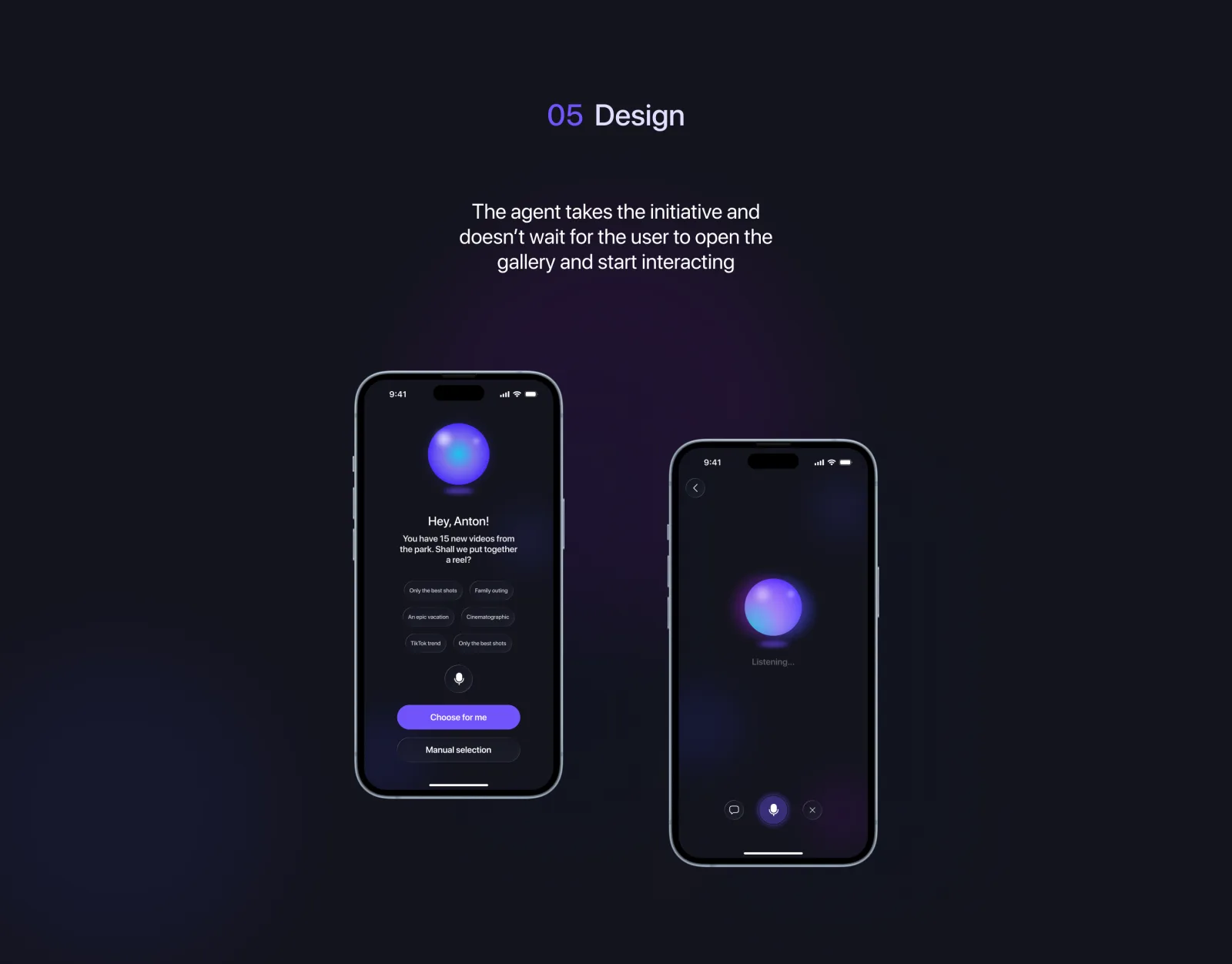
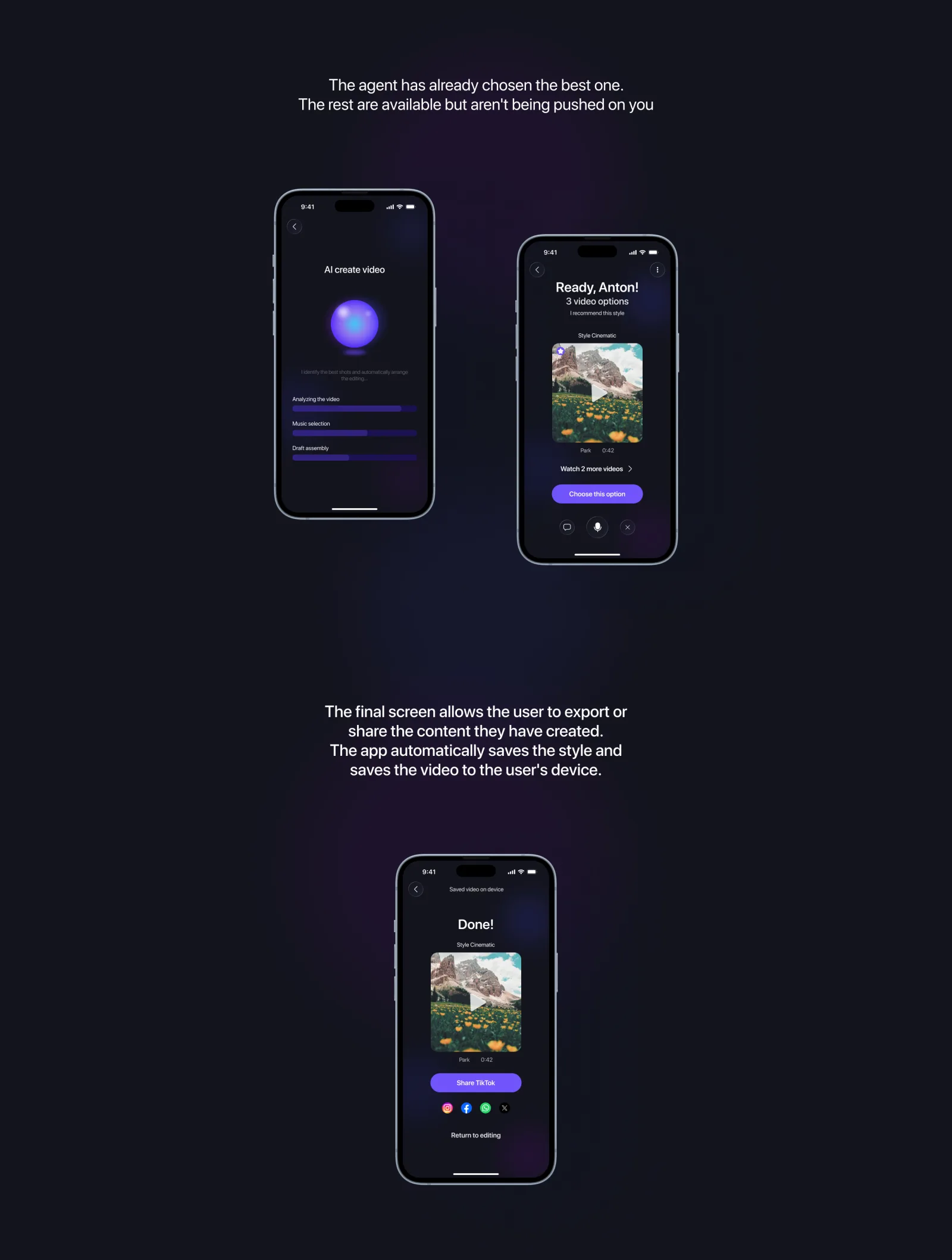
The mobile UI collapses to two surfaces only: a video preview that always shows the latest cut, and a conversation thread where the user nudges the agent. Every agent action is reversible by replying.
For longer projects we add a third surface — a 'shots board' the agent maintains automatically. The user never builds it themselves; they only mark a shot as 'must keep' or 'cut'.
A direction, not a destination
This case is an exploration of how agentic UX changes the shape of a creative tool. Not every product needs an agent — but when iteration speed is the bottleneck, removing the timeline can be more valuable than improving it.

Have an idea worth exploring?
We help product teams turn fuzzy concepts into shippable agentic experiences — from problem framing to UI.
Discuss a Project